
As someone who mentors open source contributors daily and frequently speaks at conferences, I’m no stranger to teaching. I find sharing the knowledge and experience that you’ve accumulated to be very rewarding. Oftentimes you’ll even find yourself learning while teaching, whether that’s through your own research before the actual teaching or critical thinking in response to questions asked by those looking to learn.
But like anything else, when you completely change the context of something, it can feel like a brand new experience. Last Spring was one of those moments for me when I took on a new challenge: teaching a formal class to grade school-age kids.
From Suggestion to Reality
While talking to Haley Rogers, the principal at St. Francis Xavier Elementary School, she mentioned that they sometimes invite parents to teach STEM electives for their middle school students (grades 6-8). The electives are part of the school’s effort to encourage students to collaborate, experiment, and investigate concepts in science, technology, engineering, and math alongside their teachers. She said they’d love for me to teach one.
I gave it some thought and sent over a few ideas to her and Anabela Shaughnessy, the Assistant Principal. Eventually the idea we landed on was How It Works.
The concept was inspired by the How It’s Made television show. We live at a time when there are so many tools and apps that do so much for us. The device in your pocket is more powerful than the computers that landed humans on the moon, and by orders of magnitude. We often don’t even have to think about how a certain task or goal is accomplished. But how do these technologies work?
The idea behind the class was to explore how the critical technologies that we rely on actually work: the Internet, computers, websites, the Cloud, AI, etc. But more importantly, the goal was to teach students how to be a critical thinker and problem solver in today’s digital world.
Besides a career presentation to an elementary school, I’ve never formally taught a grade school-level class. Why did I agree to teach 19 middle school kids for 10 weeks? What did I teach? And how did it go?

Why I Said Yes
Today’s kids have never known a world without these tools, which makes it easy to treat technology as magic. But they are incredibly thoughtful and curious, our future engineers, scientists, programmers (whatever that means in 5, 10, or 20 years), innovators, and dreamers. Are we doing right by them and empowering them to thrive in a technical world?
Computer Science Education in the US
According to Code.org’s 2025 State of AI & Computer Science Education, 60% of all high schools in the US offer computer science-related education, yet only 6.1% of the students with access participate at all. Both numbers have plateaued in recent years, and the percentage of participants actually decreased from the 2023-2024 to 2024-2025 academic year.
The full report is worth reading, but here are a few things that really stood out to me:
- Only 4 out of 50 states emphasize AI in their computer science standards.
- Rural and urban schools, and schools with a high percentage of students receiving free meals are less likely to offer CS courses.
- While overall participation has declined slightly, states that have passed a graduation requirement have seen an increase.
- Participation among young women is increasing. Of the states reporting new data in 2025, 20 states had higher female participation than the year before.
- Tennessee (in its third year of implementing a computer science graduation requirement) has seen access and participation growing rapidly, with young women now comprising 42% of computer science course enrollment.
The landscape is changing faster than ever in the age of AI, and our children are being left behind.
Doing Our Part
Being left behind is an especially big problem for young people who haven’t yet learned to think critically or solve problems. To solve it, we all need to come together and emphasize how important it is for kids to have the opportunity to explore technology. For some this means advocating for legislation and changes to education standards. For others it may be buying a computer for their children or showing their niece how to use one. As a digital native working in the tech industry, teaching this class was a fun and easy way to do my part.

What We Covered
If you’re curious about how I structured each class, I’ve made the full syllabus with my rough lecture notes available for you to read through. Here’s a week-by-week overview of what we covered, along with the hands-on activity that went with each class.
| Week | What we covered | Activity |
|---|---|---|
| 1 | Why problem solving, attention to detail, and critical thinking matter | The PB&J Challenge: write instructions for making a peanut butter and jelly sandwich that get followed exactly as written. The Magic Mandarin: use buoyancy to remove a mandarin from a glass of water without spilling any. |
| 2 | A brief history of computers and communication: where the Internet came from (SAGE, ARPANET), network topology, and how computers work at a fundamental level | Using string to connect students arranged in different network topologies. |
| 5 | How the Internet functions: TCP/IP, the three-way handshake, IP addresses, and why IPv6 was created to fix the flaws in IPv4 | Having students perform three-way handshakes. |
| 7 | How devices find each other: the domain name system (DNS), how domain names get resolved, and why caching matters | The DNS Game: students spread out across the room in different roles, walking through a full request both with and without caching. |
| 8 | How data finds its way: HTTP, request types like GET and POST, and why packet switching beat circuit switching for a resilient, scalable Internet | Packet Switching Relay Race: carry packets of puzzle pieces from a sender to a receiver, then reassemble them at the destination. |
| 9 | AI and ethics: AI as math at its core, how it differs from earlier machine learning, “garbage in, garbage out,” right and wrong uses of technology, and why equity matters | Class discussions (see below). |
| 10 | Technology as a form of expression | See below. |
Discussing AI & Ethics in Tech
When we discussed AI, I was really impressed by the questions that were asked. Things like “Will we even have a job when we’re older?” and “Do we still need to go to college?” Even 11- to 14-year-olds are feeling the pressure and anxiety from AI.
It was a great opportunity to talk about how soft skills are imperative in the age of AI. Critical thinking, problem solving, communication, collaboration, leadership, and a strong work ethic are more important than ever. These skills don’t just help you be a great software engineer. They could also make you a great plumber, banker, teacher, and even more importantly, an exemplary member of society.
The Final Class
While each week had a fun activity along with the lecture, each class to that point was quite technical. How do IP addresses work? How does DNS work? How do computers “talk” to each other? I wanted to shake them out of that mindset on the final day by showing them that technology isn’t strictly for problem solving.
Using Technology Creatively
To kick off, I shared one of my favorite recent TED Talks. In her TEDxCornell talk If code can make music, what will you make?, Sarah Davis talked about how she discovered coding. Something that many consider boring and uninteresting introduced her to a form of performance-art called live coding, which changed her life. She’s now better known across the world as DJ_Dave.
Like many, I thought of code as a problem solving tool only. But with live coding I learned it can actually be an artistic medium. One that you can sculpt and have a dialogue with. With no problems to solve at all.
— Sarah Davis (DJ_Dave), “If code can make music, what will you make?”, TEDxCornell
[…]
Why do we paint and draw for enjoyment, but we use mathematics to solve problems? Maybe what we think we know about these mediums is actually the very barrier preventing us from seeing their true potential.
[…]
Maybe all you have to do is be curious, to challenge your preconceptions of things, and to play.
Sharing My Professional Network
One of the most valuable things you develop throughout your professional career is your network. Having a Rolodex of people you can reach out to for help and guidance is immensely valuable. I had the idea to reach out to a number of my friends and colleagues who work in the technology field to share a brief video message of encouragement with my students.
Parting Thoughts: AI & Ethics
The first video I shared was from Morten Rand-Hendriksen, who is currently a Principal Instructor at LinkedIn. His work is heavily focused on AI and ethics in technology, so he was a perfect person to help me put a pin in the AI discussions from the previous week. When he heard about the questions they were asking and how spirited the related discussions were, he couldn’t wait to record a message for my students.
Video Messages
In the requests I sent for a recorded message, I shared what we had been working on and that my intention was to inspire the students to continue being curious even after the final bell. Everyone was free to share whatever they wished about who they were, where they worked, what they have built or are building, what their role is, why the skills we focused on are so important, and any personal stories about how they became interested in technology during their own middle school-aged years.
I’ve included their video messages below with their permission.
Ryan Welcher – Automattic
Taylor Poindexter – Spotify
Tammie Lister – Convesio
Sarah Norris – Automattic
Dennis Snell – Automattic
Antonis Papatsaras – Bluehost
Adam Silverstein – Independent
Pascal Birchler – Google
Matt Cool – Nvidia
Felix Arntz – Vercel
What I Learned
As I mentioned at the top, you often find yourself learning while teaching. That proved true in both ways: the research beforehand and the questions along the way.
First, the preparation. Building each lesson plan meant researching technology I work with every day, and I kept finding new details I hadn’t known.
Second, the questions. In our second class, a student asked, “How does the information actually travel? I know it goes over a wire, but how does that even work?” I hadn’t planned to cover binary until the following class, so I had to call an audible and dive right into the fact that computers communicate using electrical signals. It sounded simple, but it was exactly the kind of curiosity I’d hoped the class would spark.
Thank You
Sharing my network with the students was one of my favorite parts of the class. A HUGE thank you to everyone who took time out of their busy schedules to record video messages for my students. Morten Rand-Hendriksen, Ethan Marcotte, Ryan Welcher, Taylor Poindexter, Tammie Lister, Sarah Norris, Dennis Snell, Pascal Birchler, Matt Cool, Adam Silverstein, Dr. Antonis Papatsaras, and Felix Arntz.
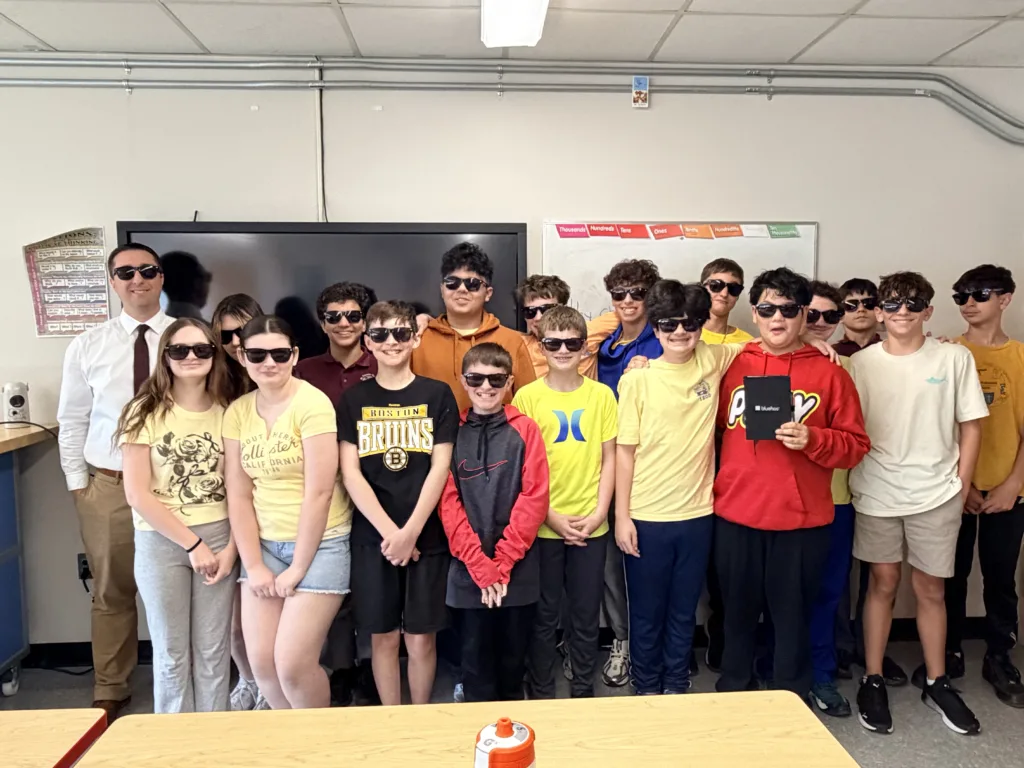
Thank you to Bluehost not only for sending sun glasses, notebooks, and pens for my students, but also for allowing me the flexibility in my working schedule to step out and teach one afternoon a week for a few months.
And of course, thank you to Mrs. Rogers, Mrs. Shaughnessy, and everyone at St. Francis Xavier for trusting me to share my passion for technology with the students. And thank you to the students for showing up with a curious mind, ready to learn about the world through a different lens.
What’s Next?
The school asked me back to teach again, which I took as a good sign. Next week marks the start of a new trimester, and I’ll be teaching a LEGO Engineering class using the Computer Science & AI Kit from LEGO Education.
I’ve been familiarizing myself with one of the kits for a few weeks now. Because it comes with ready-made slide decks and lesson plans, I’ll be spending less time on prep and more on engaging with the students, which I’m really looking forward to. There was so much interest that there will be a Winter and Spring edition!
I set out to teach students how technology works, but that only lasted 10 weeks. There’s so much more learning to be had, for them and for us. How will you help the next generation understand the technology they’re growing up with?
Leave a Reply